Client setup
TRAE SOLO Setup Guide
Add custom Claude and Codex models in TRAE SOLO using the endpoint, model name and API key shown in the configuration examples.
Add custom models in TRAE SOLO to connect to the Codex and Claude channels.
Step 1: Open custom model settings
01
Open Settings
02
Models
03
Add model
04
Custom configuration
Step 2: Enter the settings for your model type
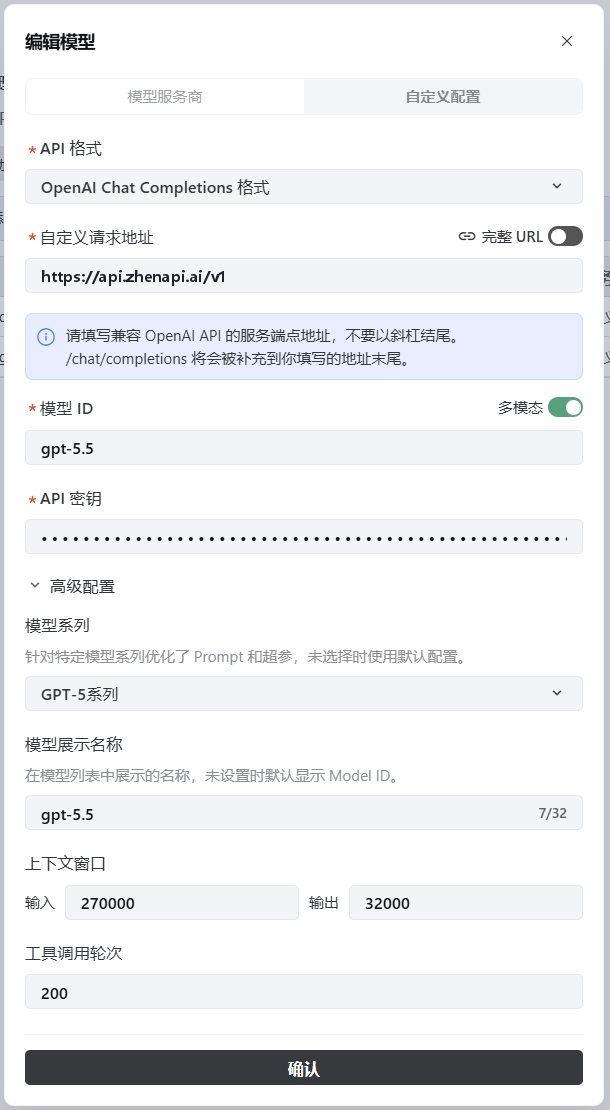
Codex model settings
For OpenAI / Codex, use https://api.zhenapi.ai/v1.
Claude model settings
For Claude / Anthropic, use https://api.zhenapi.ai.
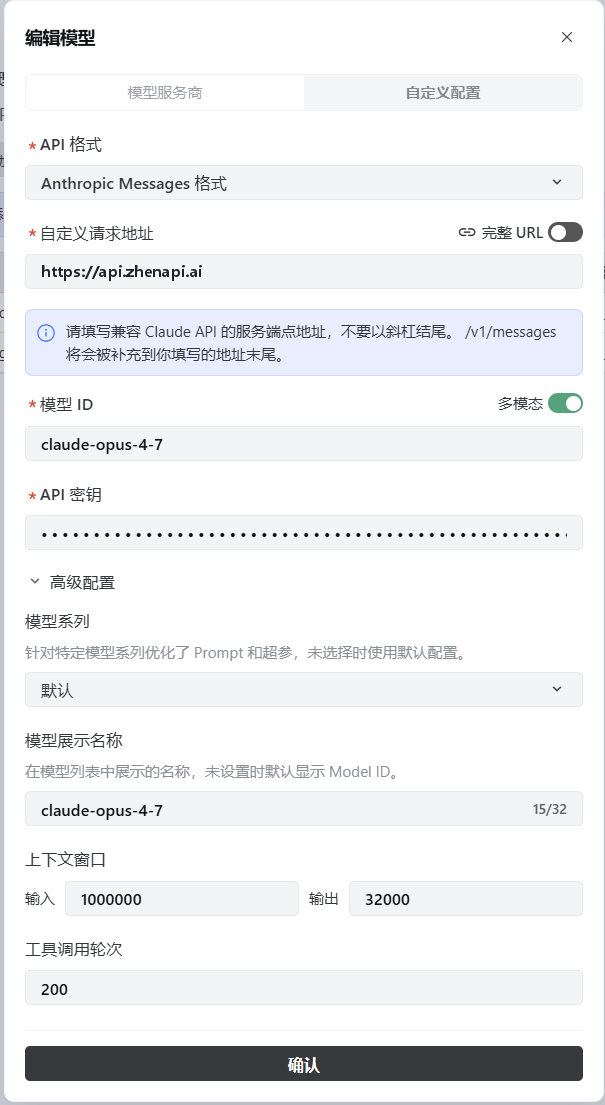
💡 Get an API key from API Keys. For example, set the Codex model to
gpt-6.1-sol and the Claude model to claude-opus-5-5.